

From Blog Post to Course: Launching My First Udemy Course
What started as a simple blog post about terminal basics eventually grew into something much bigger. In this post, I share why I created my first Udemy course, what I learned during the process and how Wuest Labs continues to evolve.
When I started Wuest Labs, my goal was simple: learn new things, document the process and share what I discovered along the way.
Most of that journey has happened through blog posts so far. Every topic started with a question, followed by research, experiments and eventually an article that hopefully helps somebody else facing the same challenge.
One of the first topics I decided to write about was the macOS Terminal.
Not because it was new to me, but because I realized how intimidating it still feels for many developers getting started. While experienced developers spend a large part of their day in the terminal, beginners often see it as a mysterious black window full of cryptic commands.
That observation led to my Terminal Basics blog post. And while writing it, I kept thinking about how much easier some concepts are to explain when you can actually demonstrate them instead of only describing them.
That thought eventually led me down a path I had wanted to explore for quite some time:
Creating my first online course.
Today, I’m excited to announce that my first Udemy course is finally live: The Mac Terminal for Developers – Beginner to Confident User.
Why I Chose the Terminal
Looking back, the terminal was actually the perfect topic for my first course.
Not because it is the most exciting tool in software development. Quite the opposite.
When people think about programming, they usually think about applications, websites, frameworks or even artificial intelligence. The terminal rarely gets much attention.
Yet it is one of the tools many developers use every single day.
Whether you’re working with Git, Node.js, Python, Docker or cloud infrastructure, sooner or later you’ll find yourself opening a terminal window and entering commands.
Over the years, I noticed the same pattern again and again. Many developers learn just enough terminal commands to get by. They know how to copy and paste commands from tutorials, but often don’t fully understand what is happening behind the scenes.
And that’s completely understandable. Most courses and tutorials focus on getting something running as quickly as possible, not on explaining the underlying concepts.
That’s exactly why I wanted to start here.
The terminal is one of those foundational skills that pays dividends throughout your entire development career. Once you understand how navigation, file operations and command-line workflows work, many other tools suddenly become much easier to understand.
For me, it felt like the perfect first step for Wuest Labs: a practical topic, a useful skill and a chance to help developers build confidence with a tool they’ll use for years to come.
Turning a Blog Post into a Course
When I published the original Terminal Basics blog post, I considered the topic covered.
The article explained the core concepts, introduced the most important commands and provided a solid starting point for beginners.
But after publishing it, I started experimenting with YouTube as well.
That’s when I noticed something interesting.
Some concepts that required several paragraphs in a blog post could be explained in just a few seconds when demonstrated live. Showing how navigation works, creating files or moving through directories simply feels more natural when people can see it happen.
At the same time, video introduced a completely different set of challenges.
Writing a blog post allows you to carefully structure your thoughts and refine every sentence before publishing. Recording a video forces you to explain concepts clearly in real time. If your explanation is confusing, there is no hiding behind well-written paragraphs.
Creating the Udemy course pushed this even further.
I suddenly had to think about the learning journey as a whole. Instead of asking “What should this article explain?”, I had to ask “What should somebody know after completing this lesson?” and “What knowledge should come next?”
That shift in perspective was one of the biggest lessons for me.
The goal was no longer to create a single piece of content. The goal became creating a complete learning experience that helps somebody move from uncertainty to confidence.
Looking back, the course taught me almost as much as creating it hopefully teaches the students taking it.
Interested in Learning the Terminal?
If you’ve read this far, there’s a good chance you’ve already spent some time working in the terminal—or you’re planning to.
The good news is that becoming comfortable with the command line doesn’t require memorizing hundreds of commands or spending weeks studying obscure shell features.
Most developers use a surprisingly small set of commands every day. The challenge is usually not learning the commands themselves, but understanding how they fit together and building enough confidence to use them regularly.
That’s exactly what I tried to focus on in my first Udemy course (the following link sends you directly to Udemy using a referral code):
The Mac Terminal for Developers – Beginner to Confident User
The course is designed to help developers understand the terminal from the ground up. We start with the fundamentals, explore common workflows and gradually build confidence through practical examples.
Whether you’re completely new to the terminal or simply want to strengthen your foundation, the course aims to give you a solid understanding of one of the most important tools in a developer’s toolkit.
And if you decide to join, I’d love to hear your feedback. After all, Wuest Labs is all about learning, building and improving together.
Thank you very much!
Keep exploring.

The Labs are on YouTube!
Are you interested in not only read but also listen to the news from the Labs? Then I have some good news for you: the Labs are now on YouTube and you can rewatch the blog postings as video as well. I also plan to publish some more insights there as some things are easier to show than tell.
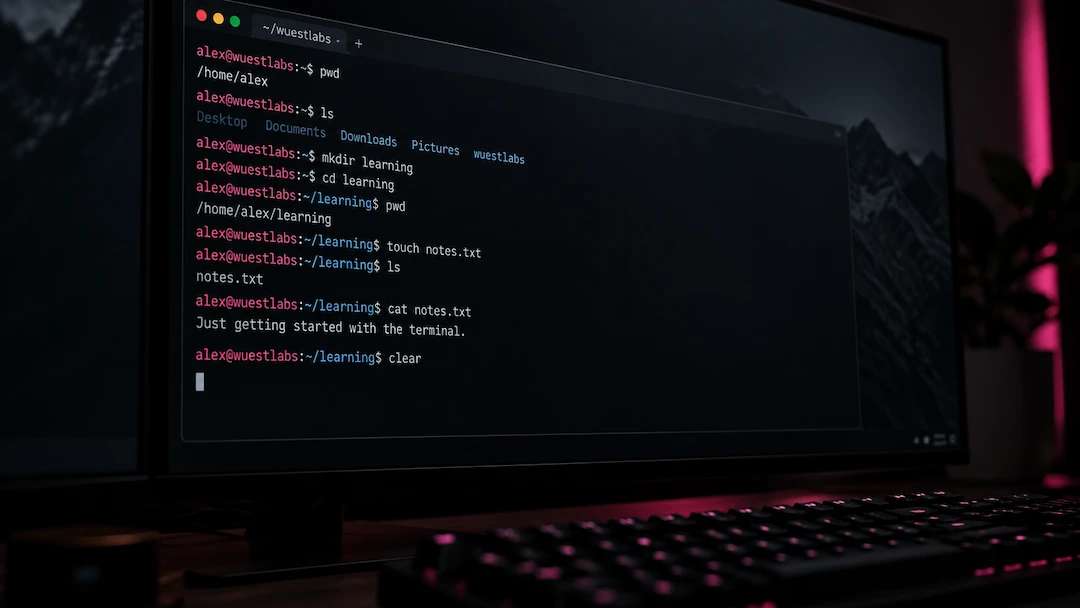
Basic Terminal Commands for Beginners
View the Terminal as a dialogue with your computer. With it you can directly commnunicate on a highly performant level. In this blog post I give you an overview of the basic commands and what the terminal actually is.